
🛑 Stop the Press (Literally)! – The Ultimate Calculator for Mega Art.
If you’ve ever paid a fortune to print massive wall art only to receive a blurry potato 🥔 in the mail, you know the pain. That 4K file that looked crisp on your phone is an absolute joke when stretched to 60 inches (or more!). The hidden villain? DPI (Dots Per Inch).
Most online guides settle for a standard minimum of 150 DPI for medium-sized prints. But that number is a lie at scale! While their files barely hit 150 DPI, our 16K files exceed 400+ DPI on those same medium prints. If you try to stretch their file to 10 feet, the DPI crashes to a blurry 33 DPI (or worse!). Our native 16K files guarantee we hit a crystal-clear 133+ DPI minimum—our stable low end—even on your most monumental wall art (like 10-foot canvases!)—where others fail. 🙅♀️
Cut the guesswork and stop risking your hard-earned cash on wasted prints. Use our Ultimate Print Resolution Calculator below to check your file’s swagger and find your true max print size. Let’s save your wall together. 🚀
Section 1: Decoding DPI — Why 133 is Our Magic Number At 10ft!✨
DPI is simply how many tiny ink dots your chosen print shop squirts into one single square inch. The bigger your canvas gets, the more those dots have to spread out, and the fuzzier things get.
- Low DPI (e.g., 72-96): This is “web quality.” If you print this large, you’ll be able to count the giant, jagged pixels. Hard fail. 🤮
- 150 DPI (The Illusion): This is the minimum acceptable quality for a small or medium print (e.g., 24×36). While their files only manage 150 DPI at this size, our 16K files deliver over 400 DPI! When you try to stretch their 150 DPI file to a 10-foot mural, the DPI instantly crashes to a blurry 33 DPI. Unusable. 📉
- 133 DPI (16K Gallery Grade – The Guarantee): This is our MAXIMUM SCALE MINIMUM (Our Stable Low). At a 10-foot scale, 133 DPI delivers perfect razor-sharp detail when viewed at a distance. The key is: Our 16K file size ensures our quality never drops below this 133 DPI clarity, even on a 10-foot print! We maintain quality at scale. 🔪
To avoid the pixel tragedy, you need to know the minimum required pixels for your final size. Let the machine do the heavy lifting!
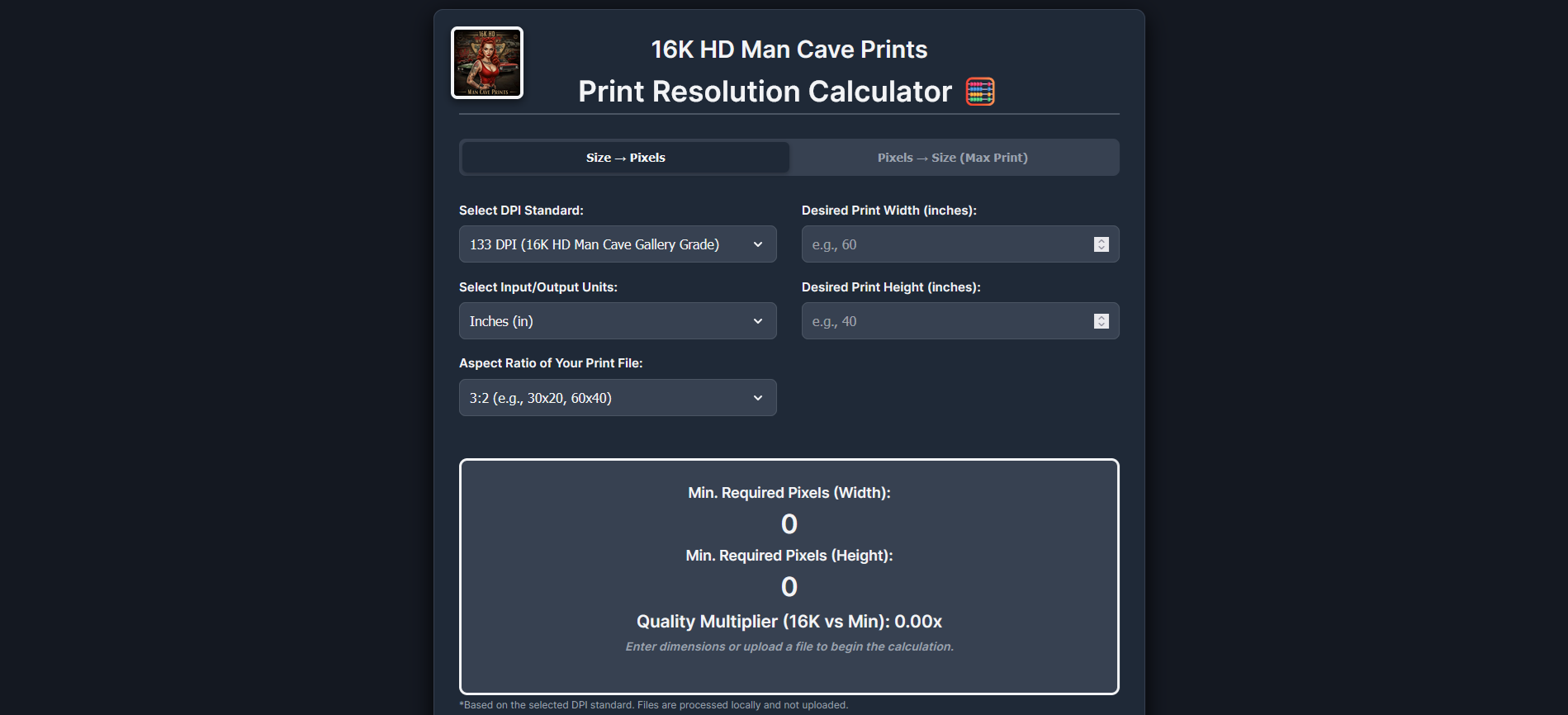
🛠️ The Ultimate Print Resolution Calculator
 16K HD Man Cave Prints
Print Resolution Calculator 🧮
Min. Required Pixels (Width):
0Min. Required Pixels (Height):
0Quality Multiplier (Your File vs 16K): 0x
Section 2: How to Use the Print Resolution Calculator (It’s Easy, Promise!) 🛠️
Our calculator answers the two most stressful questions art lovers ask. Just toggle between the two modes!
Mode 1: Size → Pixels (Will My File Work for a 60-Inch Print?)
Use this if you already know the specific size you want to buy (e.g., 60×40 inches).
- Select Your Standard: Stick with the 133 DPI (16K HD Man Cave Gallery Grade) for the most ambitious prints.
- Enter Dimensions: Drop in your desired Width and Height (in inches or cm). We lock the Aspect Ratio to keep your math honest!
- Check the Requirement: The tool spits out the Minimum Required Pixels. If your image file’s pixels are less than this number, walk away, or upgrade to a 16K HD file. 🛑
Mode 2: Pixels → Size (How Massive Can I REALLY Go?)
Use this if you have a digital file already and want to know its safe limit.
- Upload the File (Easy Peasy!): Click the “Upload Your Image” button. The calculator locally reads your image (we don’t keep it!) and automatically detects its longest pixel edge. You can also manually input it.
- Unleash the Scale: The calculator instantly shows you the Max Safe Print Size your file can handle at the selected DPI. This is your personal Max Scale Limit. 🤯
- Check the Multiplier: This is our favorite part! The Quality Multiplier compares your file’s power against our 16,000-pixel (16K) benchmark. A multiplier above 1.0x means you’re operating with a quality buffer. You’re a winner! 🏆
Section 3: The 16K Advantage: The Only Guarantee 👑
Why do we set our resolution benchmark so ridiculously high at 16,000 pixels? Because when you’re printing art that costs hundreds of dollars to canvas, you can’t afford a single pixel-sized surprise.
Many of our mega instant downloads are natively rendered at 16,000 pixels on the longest edge (True 16K resolution).
This means if your desired print requires 12,000 pixels, a 16K file gives you a cool 1.33x quality buffer. That’s like putting a military-grade guarantee on your print clarity. Flawless. Every. Single. Time.
Stop settling for guesswork and blurry disappointments. It’s time for your wall to make a statement that’s aggressive and perfect. 💥
❤️ Click through to our collections: We offer our bespoke artworks as digital download artwork bundles if you want to print them yourself, or you can grab them to use as wallpapers. Honestly, there’s LOTS of ways to enjoy your art here, making you smile every single time.
🖼️ Your blank wall is about to become the most awesome conversation starter in the house. 😉✨
👉 Shop All 16K Ultra Hi-Res Art Prints (with FREE US DELIVERY!) & Digital Downloads:
Thank you for taking the time to understand more about what we do. It really means a lot to have you here, sharing our passions together ❤️
Jessica and the Tiny Team at the MASSIVE 16K HD Man Cave Prints
Leave a Reply